 HyperControl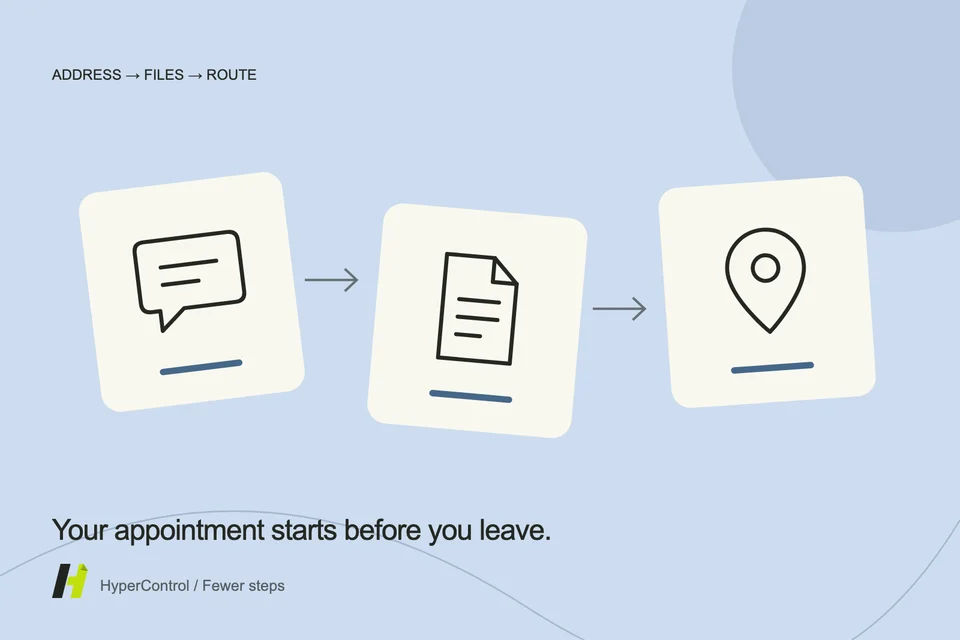
The address is in one message, the time in another and the document to bring in a folder. Preparing an appointment on your phone often means juggling these details. Each is simple; putting them together takes attention.
This illustrates a useful HyperControl task: organise several actions around one goal using available information. The assistant does not guess an address from a name or turn a suggested time into a confirmed appointment.
Identify the appointment's authoritative source
Start with the conversation or document confirming the appointment. If several times were suggested, ask for the latest explicit agreement. “We could try Tuesday” is not necessarily confirmation.
Distinguish the meeting location from the contact's usual address. A tradesperson may meet you on a worksite rather than at their office. If the building, entrance or city is ambiguous, a precise question avoids routing you to the wrong place.
Gather what you need before leaving
Ask the agent to find the mentioned documents: presentation, quote, purchase order or form. Resources can link original files to their contents for retrieval and sharing. Check the version and whether the file actually opens on the phone.
A short packing list can include physical items mentioned in the exchange. Keep it faithful to the sources: do not invent a mandatory document, supporting evidence or access permit simply because it seems usual for that kind of appointment.
Open the route in the right tool
HyperControl can operate an accessible mapping app to prepare a route. Specify transport mode and, if needed, the starting point. Location, traffic data and available options depend on that app and its permissions.
A travel-time estimate is an estimate at the time you check it. Specify any buffer you want. The assistant should not guarantee an arrival time from a single estimate or confuse a displayed route with navigation that has actually started.
Prepare a confirmation that clears up ambiguity
A simple message can confirm time and place: “I confirm our 2 pm appointment at the address provided. I will bring the proposal.” Use that wording only after checking those facts. Otherwise, the draft should ask for missing details.
Keep control of the recipient, especially with several participants. You can request a draft only, then authorise sending after review. The log should distinguish preparation from completed actions.
End the task where you need to be next
If you want to use the map next, say so: “Leave the route on screen when you finish.” If you want a report, request it in HyperControl. A successful task ends in a useful state, not merely with a list of steps.
Interface control needs an available phone and, where required, an unlocked screen. Login and authentication remain under your control. Prepare before departure; do not operate the phone while driving.
Make this preparation a routine
A reusable routine can preserve the method: check the appointment, find documents, prepare the route and propose confirmation. Retrieve current details each time. The benefit is coordinating small transitions between apps while letting you check changing facts.